In our first article in this series on website accessibility for museums, we focused on a deceptively simple question: can someone actually use the site?
That question surfaces obvious failures. Navigation that cannot be reached without a mouse. Focus that disappears. Text that cannot be read. Forms that trap users. Content that screen readers cannot interpret. Framed that way, accessibility feels less like compliance and more like basic usability.
But museum teams inevitably reach a second question, and this one is harder.
How far do we actually need to go?
This is where WCAG enters the conversation in a more formal way. Version numbers appear. Conformance levels appear. Accessibility starts to feel like a negotiation rather than an improvement. And without context, it is easy for teams to either undercommit out of fear of cost, or overcommit out of fear of liability.
This article is about clarifying where the real inflection points are. Not where standards change, but where effort, cost, and operational burden begin to rise sharply.
WCAG Versions Are Incremental, Not Escalating
One of the most common misconceptions about WCAG is that each new version raises the bar dramatically. In practice, WCAG has evolved slowly and deliberately.
WCAG 2.0 was written for a web that assumed desktop use and mouse interaction. WCAG 2.1 acknowledged reality. Mobile devices dominated. Touch interaction was normal. Users relied on zoom and reflow. Cognitive accessibility was better understood. WCAG 2.2 continued in that same direction, refining expectations around focus visibility, keyboard interaction, and reducing friction for users navigating complex interfaces.
For WordPress museum websites, this matters because moving from WCAG 2.1 AA to WCAG 2.2 AA rarely requires a rebuild. The changes tend to be targeted. Focus indicators may need to be strengthened. Certain interaction patterns may need refinement. Error handling may need to be clearer.
The standards are not moving goalposts. They are converging on how people actually use the web.
Where Cost Really Enters the Picture
The real cost inflection point is not the WCAG version, it’s the conformance level.
Level A: Preventing Total Failure
Level A issues are best understood as corrective maintenance. If a WordPress museum site fails Level A, there are users who cannot use it at all. These are not subtle problems. They are structural failures.
From a cost perspective, Level A fixes are usually the least expensive and the most straightforward. They live in templates, navigation components, and basic content practices. Fixing keyboard access in navigation, restoring visible focus states, correcting heading structure, and adding missing labels or alt text are typically measured in dozens of hours, not hundreds.
For many museums, addressing Level A issues might translate into a few thousand dollars of external development time or a concentrated internal effort over several weeks. These fixes are not optional enhancements. They are the baseline required to avoid excluding users entirely.
Level AA: Usability in the Real World
This is the point where accessibility is no longer just about fixing what is broken, but about ensuring the site remains usable as it grows. Contrast requirements begin to shape design systems. Focus indicators must work consistently across components. Navigation patterns must remain predictable. Forms must provide clear feedback. Video content must account for users who cannot see what is happening visually.
At this level, costs start to come from multiple directions at once.
There is still development work. Templates may need refinement. Custom components, such as interactive exhibitions or collection browsers, may need accessibility-specific enhancements. Depending on complexity, this can range from modest adjustments to more involved redevelopment.
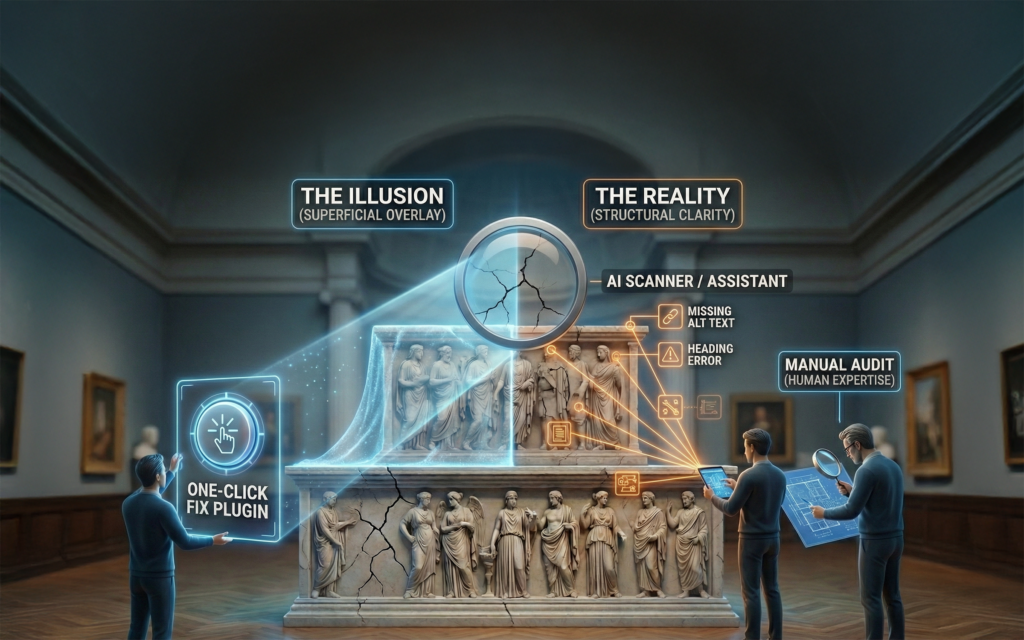
There is also auditing. A true accessibility audit is not an automated scan. It involves manual testing, keyboard navigation, screen reader use, and mapping findings to WCAG criteria. For a WordPress museum site, audits are often scoped to representative templates and high-traffic pages rather than every page. Even so, professional audits typically fall into the low to mid five figures for larger or more complex sites. Audits for smaller sites, while not quite as expensive, are still quite costly. That’s because all of the basic elements of theme structure, navigation, and functionality require analysis even if the total page count is relatively low.
But the most underestimated cost at Level AA is editorial and operational time.
Captioning new videos. Writing alt text consistently. Maintaining heading discipline. Reviewing content before publication. Training new staff. None of this happens once. It happens every week.
If a staff member earning a mid-range museum salary spends even a small portion of their time handling accessibility-related tasks, the internal cost accumulates quickly. Multiply that across multiple roles, and accessibility becomes a recurring operational expense, not a project line item.
This is where many museums struggle. Not because they do not care, but because accessibility quietly becomes another responsibility layered onto already full roles.
Why AAA Changes the Equation Entirely
Level AAA is where the cost curve steepens dramatically.
AAA includes requirements that undeniably improve access for specific users, but that introduce obligations most museums cannot sustain across an entire website. Sign language interpretation for video is a clear example. Providing it for a flagship exhibition video may be achievable. Providing it for every recorded lecture, program, and archive item quickly becomes a significant ongoing expense.
Other AAA requirements, such as strict reading-level constraints or very high contrast thresholds, can conflict directly with scholarly content and established brand systems. Meeting them fully often requires parallel content streams or extensive redesign.
Even the WCAG authors caution against requiring AAA conformance site-wide. It is aspirational by design.
For museums, the risk with AAA is not that it lacks value. It is that it can consume disproportionate resources for comparatively narrow gains if applied indiscriminately.
This is where institutions must be honest about trade-offs. Investing heavily in AAA compliance may mean fewer resources for improving core usability, content quality, or physical accessibility initiatives that benefit a broader audience.
The Hidden Cost Centers in Higher Conformance
As museums move from Level A into Level AA and beyond, the nature of the work changes.
Early fixes are structural and technical. Later fixes are operational.
Captioning video content is a good example. Adding captions to a handful of promotional videos is manageable. Maintaining captions for a growing archive of lectures, programs, and educational content requires workflow changes, vendor relationships, and ongoing budget.
Audio description is similar. Providing it for a small number of core videos may be feasible. Providing it for every video, retroactively and going forward, can become a long-term obligation that exceeds the original website build cost.
Content governance becomes another cost center. At higher conformance levels, accessibility is not just about the site as built, but about the site as maintained. Editors must be trained. New staff must be onboarded. PDFs must be handled carefully or avoided entirely. Exceptions must be tracked.
These costs are real, and they do not disappear after launch.
This is why it is so important to distinguish between accessibility that improves access for many users and accessibility that primarily serves edge cases at high operational cost.
How Strategy and Tools Change the Cost Curve
The choice is not binary. Museums are not forced to choose between minimal compliance and maximal expenditure.
This is where strategy, tools, and AI can meaningfully change the math.
AI-assisted workflows can dramatically reduce the editorial burden associated with Level AA compliance. Drafting alt text at scale, generating transcripts, reviewing content for structural issues, and flagging common accessibility risks before publication all reduce the time required per page. Human oversight remains essential, but the workload shifts from creation to review.
Automated scanning tools integrated into WordPress can catch regressions early, before issues proliferate across the site. When combined with AI-based content review, they form a layered safety net that addresses both structural and editorial issues.
Targeted audits offer another cost-saving lever. Rather than auditing every page, museums can focus audits on templates, navigation, and high-traffic pages, then apply fixes systemically. This approach often captures the majority of real-world issues at a fraction of the cost of a full-site audit.
Selective adoption of AAA practices is also viable. Museums can choose to exceed AA where it aligns naturally with mission and audience, such as providing sign language interpretation for core visitor videos or offering simplified summaries for key pages, without committing to AAA everywhere.
The result is not perfect compliance. It is meaningful access delivered sustainably.
Making Informed Decisions, Not Fear-Based Ones
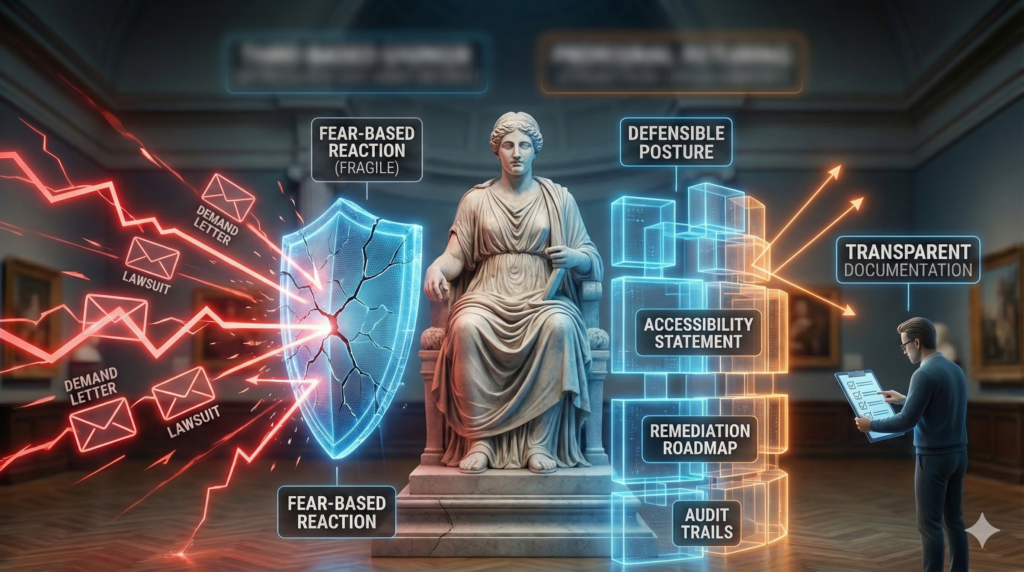
One of the most damaging dynamics in accessibility work is fear-driven overcommitment.
Museums hear about lawsuits and respond by promising full WCAG 2.2 AAA compliance without understanding what that actually entails. Those promises then collide with reality. Budgets tighten. Staff burn out. Accessibility work stalls or becomes performative.
A healthier approach is clarity…
- Fully address Level A issues.
- ‘Deliberately target Level AA across templates and workflows.
- Budget for professional audits at meaningful milestones rather than continuously.
- Use AI and tools to reduce ongoing operational cost.
- Adopt selected AAA practices where they clearly add value.
Most importantly, document these decisions transparently.
Accessibility done this way is not fragile. It does not depend on heroics or constant vigilance. It becomes part of how the site is designed, maintained, and evolved.
That is what allows museums to improve access without burning out staff or exhausting budgets.
Coming Next
The third article will focus on the tools and tactics themselves. WordPress plugins, accessibility overlays, scanners, audits, and legal realities. We will look closely at what these tools actually do, where they fall short, and how museums can choose wisely without being driven by fear or marketing claims.