What actually improves accessibility on museum websites, and what does not
In the first article in this series, we focused on a foundational question: can someone actually use your museum website?
That took us into keyboard navigation, focus visibility, headings, contrast, and basic content practices. It reframed accessibility as usability, not compliance.
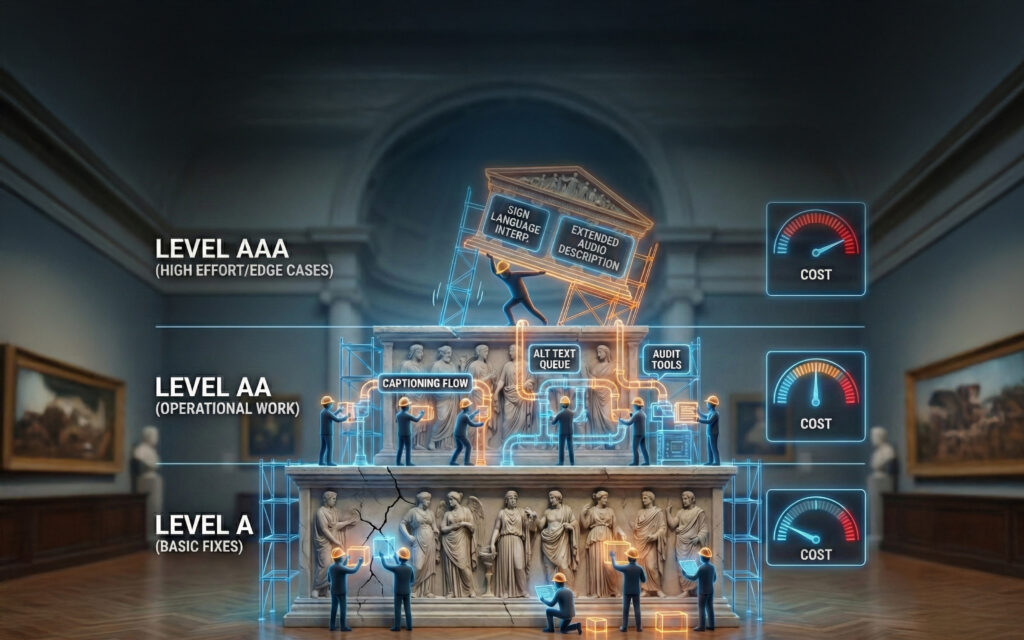
In the second article, we stepped back and looked at standards. We unpacked WCAG versions and levels, and where costs and operational burden begin to rise as institutions move from basic access toward formal compliance.
This third article sits at the point where most museum teams feel the most pressure.
You understand the basics.
You understand the standards.
Now you are being shown tools, plugins, widgets, audits, and services that all promise solutions.
This is where accessibility decisions often get made under stress rather than strategy.
This article is about restoring clarity. Which tools actually help. Which ones are misunderstood. When audits are worth the cost. Where AI fits realistically. And how museums can make defensible choices without chasing certainty or shortcuts.
Why the “One-Click Accessibility Fix” Is So Tempting
At some point, nearly every museum hears a version of this:
“We can just install an accessibility plugin.”
It makes sense. WordPress has trained people to expect plugins to solve problems quickly. Performance, security, SEO, forms. Install, configure, move on.
Accessibility feels like it should work the same way. But it doesn’t always work out that way.
Accessibility is not a single problem. It is the intersection of structure, interaction, content, and maintenance. No plugin can redesign your navigation logic. No plugin can decide whether an image is decorative or essential. No plugin can make a complex custom exhibition feature accessible without human involvement.
The problem is not that accessibility plugins are useless. The problem is that they are often expected to do work they were never designed to do.
What Accessibility Plugins Actually Do Well
Used appropriately, WordPress accessibility plugins can be genuinely helpful.
Scanning and reporting plugins
Scanning tools are strongest when they surface issues early and repeatedly, especially inside the editorial workflow.
Well-known examples include:
- Equalize Digital Accessibility Checker
A WordPress-native scanner that flags WCAG issues directly in the editor and dashboard. Particularly effective for catching regressions in new content. - WP Accessibility
A long-standing plugin that helps patch common theme issues and provides structural assistance. Explicitly not a compliance guarantee, which is exactly the right framing.
These tools are best thought of as quality control, not remediation engines. They help teams notice problems before they spread.
Overlay and widget tools
Overlay tools add a front-end interface that allows visitors to adjust font size, contrast, spacing, or other display preferences.
Common examples include:
Some visitors do find these tools helpful, particularly for visual comfort. There is nothing inherently wrong with offering that flexibility. The issue is expectation.
Overlays do not fix broken markup. They do not correct focus order. They do not make custom components accessible to screen readers. They do not replace accessible templates or content discipline. Courts and regulators have been clear that overlays do not excuse underlying accessibility failures.
For museums, overlays should be treated as optional enhancements, never as a primary strategy or a legal shield.
What a Real Accessibility Audit Is, and Why It Costs What It Costs
The word “audit” is often used loosely, which creates confusion.
A true accessibility audit is not an automated scan. It is a structured, manual evaluation conducted by specialists who test a site the way users do.
That typically includes keyboard testing, screen reader testing with multiple assistive technologies, review of templates and representative pages, and mapping issues to WCAG success criteria with prioritization.
For museum websites, audits are usually scoped. Auditors review core templates and high-impact pages rather than every piece of content. That approach keeps costs reasonable while still identifying systemic issues.
Well-known accessibility audit providers museums often work with include:
Costs vary by scope and complexity, but museums should expect audits to land somewhere between a few thousand dollars for focused reviews and low-to-mid five figures for large or complex sites.
The audit itself is only part of the cost.
Every audit produces findings. Findings require remediation. Remediation requires developer time, editorial time, coordination, and training. And unless workflows change, the same issues will reappear.
This is why audits are most valuable when paired with improvements to how sites are built and maintained, not treated as one-off events.
The Ongoing Cost Most Museums Underestimate
The hardest part of accessibility is rarely the initial technical work. It is the ongoing effort.
Captioning videos. Writing alt text. Maintaining heading structure. Reviewing PDFs. Training new staff. Checking content before publication. These tasks quietly accumulate.
When a staff member earning a typical museum salary spends even a small percentage of their time on accessibility-related work, the internal cost adds up quickly. Multiply that across departments and accessibility becomes a real operational investment, not a checkbox.
This is where many museums stall. Not because they lack commitment, but because accessibility becomes something extra layered onto already full roles.
Where AI Changes the Equation
AI does not replace audits. It does not certify compliance. But it is extremely effective at reducing the day-to-day burden that causes accessibility efforts to fail over time.
Used well, AI can:
- draft first-pass alt text for image-heavy pages
- generate transcripts and captions for video content
- review page structure for heading misuse and landmark gaps
- flag vague link text, excessive use of all caps, or readability issues
- act as a pre-publish reviewer inside content workflows
This shifts accessibility work from creation to review, which is faster and more sustainable.
AI is also valuable for continuity. Museums experience staff turnover. Accessibility knowledge leaves with people. AI can act as a consistent reviewer that reinforces expectations even as teams change.
The result is not perfect compliance. It is fewer regressions, lower staff friction, and reduced reliance on repeated audits.
Making Tool Choices Without Fear
The most effective museum accessibility strategies are not driven by marketing claims or legal anxiety. They are driven by clarity.
Museums that succeed tend to make a few deliberate choices.
- They use scanning tools to surface issues early, especially during content creation.
- They rely on accessible templates and components rather than freeform layouts.
- They treat overlays as optional enhancements, not structural solutions.
- They invest in professional audits at meaningful milestones, not continuously.
- They use AI to reduce editorial workload and preserve institutional knowledge.
Most importantly, they document their decisions and trade-offs openly.
This creates a defensible posture. Not perfection, but good faith, real usability, and sustainable progress.
Accessibility pursued this way does not depend on heroics. It becomes part of how the website is designed, governed, and maintained.
Coming Next
The final article in this series will address the question that quietly underlies all of this: legal exposure.
We will look at what accessibility lawsuits against cultural institutions actually look like, how often museums are targeted, what outcomes tend to be, and how institutions can respond rationally rather than reactively.
The goal is not to minimize risk. It is to put it in proportion alongside mission, budget, and audience.