Why “keeping WordPress updated” is no longer the same thing as protecting your site
Most museum website security conversations begin with a fairly simple question:
“Are our plugins up to date?”
That question still matters. In fact, it matters a lot. But it is no longer enough.
Museum websites are now operating in a very different environment than they were even a few years ago. Automated bots, AI crawlers, brute-force login attempts, vulnerability scanners, spam scripts, and content scrapers are constantly moving across the web looking for sites to index, probe, copy, overload, or exploit.
Some of that activity is harmless. Some of it is useful. Search engines need to crawl your site. Accessibility tools, uptime monitors, and legitimate indexing services may need access. But a growing share of non-human traffic does not exist to help your museum. It exists to extract content, test weaknesses, guess passwords, find outdated plugins, or consume server resources.
That shift changes how museums should think about website care.
Security is no longer only about preventing a dramatic hack. It is about preserving the health, stability, speed, and trustworthiness of the website over time.
Museum websites are public infrastructure
A museum website is not just a brochure. It is often the front door for admissions, donations, memberships, event registrations, school programs, collections access, exhibitions, press inquiries, and visitor planning.
When the site slows down, real visitors are affected. When forms fail, revenue and communication are affected. When search engines see spam injected into hidden pages, reputation is affected. When staff accounts are compromised, internal operations are affected.
That is why website security should be understood as stewardship, not paranoia.
The goal is not to make a museum website invincible. No public-facing website is invincible. The goal is to reduce obvious risks, close unused entry points, monitor unusual activity, and make the site much harder to abuse.
Bot traffic is not one problem
The word “bot” can make the issue sound simpler than it is.
There are search engine bots. AI crawlers. Spam bots. Login bots. Scrapers. Vulnerability scanners. Uptime monitors. Form submission bots. Malicious scripts pretending to be browsers. Some are expected. Some are tolerable. Some should be slowed down. Some should be blocked entirely.
This is what makes modern bot management difficult. A museum probably does want Google to index its exhibitions, events, and visitor information. It may or may not want AI crawlers copying large portions of its site. It almost certainly does not want automated scripts hammering the WordPress login page thousands of times a day.
Cloudflare has reported significant growth in AI and search crawler traffic, including rapid increases from AI-specific crawlers between 2024 and 2025. That does not automatically mean every crawler is malicious, but it does mean website owners need more visibility and control over who is accessing their content and how often.
Why bots affect performance
A bot request still costs something.
Even when a visitor is not human, the server may still have to respond. It may load a page, query the database, generate a search result, process a form, or return files. A few requests do not matter. Thousands or millions of automated requests can.
For museum websites, this can show up in practical ways:
- slower page loads
- higher hosting usage
- bandwidth spikes
- overloaded search pages
- repeated hits to login and admin URLs
- inflated analytics data
- degraded performance for real visitors
This is especially important for smaller and mid-sized museums. Many institutions are not running enterprise infrastructure with large technical teams watching traffic patterns every day. A site can be under constant automated pressure without anyone noticing until performance drops, hosting costs rise, or something breaks.
WordPress changes the risk profile
WordPress is a strong platform for museum websites because it is flexible, widely supported, and well suited to ongoing content publishing. But a real WordPress website is never just WordPress core.
It is WordPress plus a theme, plugins, custom templates, forms, event tools, donation systems, page builders, integrations, user accounts, and years of accumulated content.
That is where risk often appears.
Patchstack’s 2026 WordPress security report found that the vast majority of newly reported WordPress vulnerabilities in 2025 were found in plugins, not WordPress core. That matches what most WordPress professionals see in practice: the platform itself is only one layer. The broader ecosystem is where most security work happens.
This does not mean museums should be afraid of plugins. It means plugins need to be chosen carefully, updated consistently, removed when unused, and monitored for known vulnerabilities.
“Up to date” is necessary, but not sufficient
Keeping WordPress, themes, and plugins current is still one of the most important security practices. Many attacks succeed because a known vulnerability was already fixed, but the site never received the update.
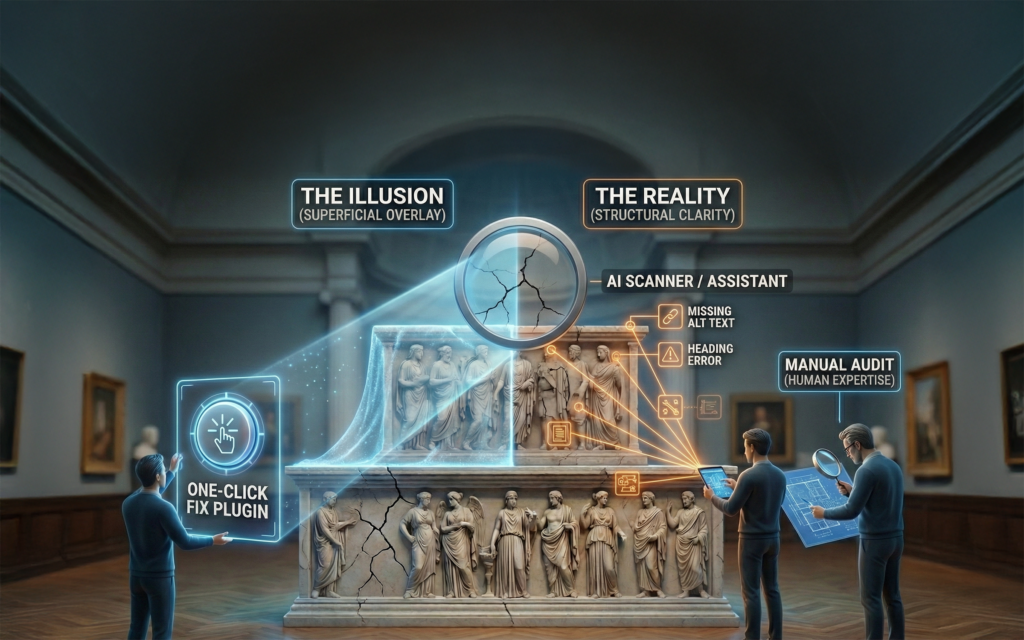
But updates are only one part of protection.
A site can be fully updated and still have weak passwords. It can be updated and still expose unnecessary WordPress features. It can be updated and still allow unlimited login attempts. It can be updated and still let bots scrape aggressively. It can be updated and still have old admin accounts that no one remembers.
Security has to move from occasional maintenance to an ongoing posture.
That posture includes patching, hardening, monitoring, filtering, account discipline, and recovery planning.
What hardening actually means
Website hardening is the process of closing off features, pathways, and behaviors that are not needed.
For a museum website, this may include disabling unused WordPress features such as XML-RPC, pingbacks, trackbacks, comments, or exposed version information. It may include restricting access to sensitive endpoints, blocking code execution in upload folders, reviewing file permissions, and making sure administrators cannot edit live code from the WordPress dashboard.
None of these steps is glamorous. Most visitors will never notice them.
That is the point.
Good security often looks like nothing happened. The login page is quieter. The server is less burdened. The attack surface is smaller. Staff can keep publishing content without the site carrying unnecessary risk.
The login page is the front door
One of the most common forms of automated attack is brute-force or credential-based login activity. Bots try username and password combinations over and over, often using credentials exposed in unrelated breaches.
Museums can reduce this risk dramatically with a few practical steps:
- require multi-factor authentication for administrators
- remove unused admin accounts
- avoid shared logins
- use strong, unique passwords
- change the default WordPress login or admin URL to something custom
- limit or challenge suspicious login attempts
- monitor new administrator accounts and role changes
Changing the default wp-admin or wp-login.php path does not replace strong authentication, but it can reduce the volume of automated attacks by moving the front door away from the address most bots try first. It is not security by itself. But when combined with MFA, rate limiting, bot challenges, and monitoring, it becomes one more practical layer of protection.
Multi-factor authentication is especially important. A password alone is no longer a strong enough boundary for administrator access. If an attacker gets one valid password, MFA can be the difference between a failed login and a compromised website.
Firewalls and CDNs now matter for smaller sites too
In the past, many smaller organizations thought of web application firewalls, content delivery networks, and bot filtering as tools for large institutions.
That distinction is fading.
A CDN such as Cloudflare can sit in front of a website and absorb or filter traffic before it reaches the server. That can improve speed, reduce load, block known malicious bots, challenge suspicious behavior, and provide better visibility into traffic patterns.
For museums, this is especially useful because it moves some protection to the edge of the network. Instead of waiting for every request to hit the hosting server, suspicious traffic can be filtered earlier.
This does not replace good WordPress maintenance. It adds another layer.
AI crawlers create a new content question
AI crawlers are not always “security threats” in the traditional sense. They may not be trying to break into the site. But they do raise new questions for museums.
Should AI crawlers be allowed to scrape exhibition content? Collection records? Educational resources? Blog posts? Donor pages? PDFs? Images?
There is not one right answer for every institution. Some museums may welcome broad indexing because they want their resources to be discoverable. Others may want tighter control over high-value content. Many may simply want to understand what is happening before deciding.
The important point is that this should become an intentional choice. Not an accident caused by default settings.
What a reasonable museum security posture looks like
Museums do not need to respond to this environment with panic. They need a practical baseline.
A reasonable posture includes:
- weekly or frequent updates for WordPress, plugins, and themes
- removal of unused plugins, themes, and accounts
- multi-factor authentication for all administrators
- a custom WordPress login URL
- hardened WordPress settings
- login protection and rate limiting
- bot filtering through a service such as Cloudflare
- activity logging and alerts
- regular review of suspicious traffic
- verified backups and a recovery plan
- clear documentation of what has been configured and why
The point is not to chase every possible threat. The point is to reduce the easy wins for attackers and bots.
Most automated attacks are opportunistic. They look for the path of least resistance. A hardened, monitored, well-maintained site is a less attractive target.
Security is also a performance issue
Museum teams often separate “security” from “performance,” but bot traffic collapses that distinction.
If automated traffic is consuming server resources, the site may slow down for real visitors. If login bots are constantly hitting admin pages, the hosting environment may work harder than it should. If crawlers are repeatedly scraping large sections of the site, bandwidth and caching behavior can be affected.
Protecting the site from unnecessary automated traffic is partly about security. It is also about keeping the website healthy.
A museum website should spend its resources serving visitors, members, donors, educators, researchers, and staff. Not endless scripts looking for weak spots.
Where Cuberis can help
Cuberis recently introduced new WordPress security plans for museum websites that need stronger protection than standard monthly maintenance provides.
The goal is not to turn every museum into a security operations center. It is to give museums a practical, managed way to harden WordPress, improve login protection, filter bot traffic, monitor suspicious activity, and respond to the current threat environment with proportionate care.
The Basic plan adds weekly updates, WordPress hardening, login protection, Cloudflare CDN and bot filtering, activity monitoring, and monthly review. The Pro plan adds more advanced bot and AI-crawler defense, firewall tuning, rate limiting, virtual patching, active threat review, AI-assisted security analysis, and quarterly verification.
You can review the details here: WordPress Security Plans
The practical takeaway
Museum websites are under more automated pressure than they used to be.
That does not mean every museum should be alarmed. It does mean every museum should be paying attention.
The old baseline was simple: keep the site updated.
The new baseline is broader: keep it updated, harden what does not need to be open, protect the login, filter bad traffic, watch for unusual activity, and make sure recovery is possible if something goes wrong.
For museums, this is not just a technical concern. It is part of caring for the public trust, preserving access, and making sure the website remains reliable for the people it exists to serve.